Can I Use Advance Map Plugin on Basic Plan
Where to paste the installation codes if you’re on Basic Plan and you don’t have access to Code Injection
IMPORTANT:
This method is only a hack and a workaround. It works but it’s not the proper method to use the plugin.
We can not guarantee that this method will always work because Squarespace updates it’s platform. But as long as this method works, we’ll keep supporting it.
Hopefully, it’ll buy you some time until you’re able to upgrade your Squarespace account and unlock the Code Injection.
Step 1. Open the Footer
Double click the space at the bottom of your page or click the EDIT SITE FOOTER button to open the Footer.
Step 2. Add a Markdown block
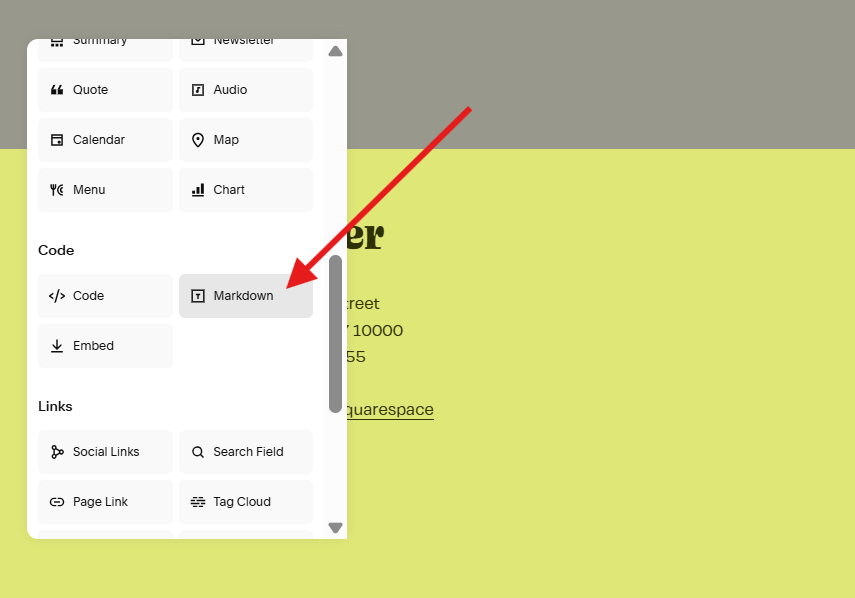
Click the Add Block button and add a Markdown block - this is where you’ll paste the installation codes.
Step 3. Paste and Save
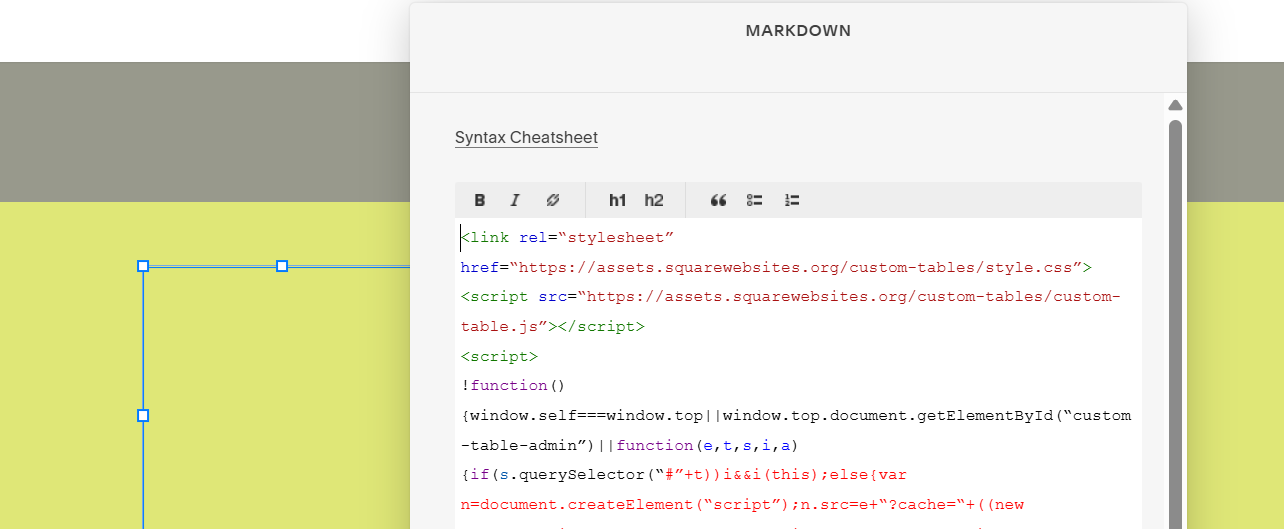
Paste the installation code on the Markdown block and save.
Open your map block settings. You’ll know you’ve successfully installed the Advance Map plugin when you see the Multiple and Markers tabs.
What’s next?
Next, we add markers on our map.